
Wine
Two QR Codes on a Wine Label: How to Place the E-Label and Marketing Codes
How to fit an EU e-label QR and a separate marketing QR on one wine label: size, spacing, wording, print checks and what to tell your label printer.
By Ali Murtaza ·
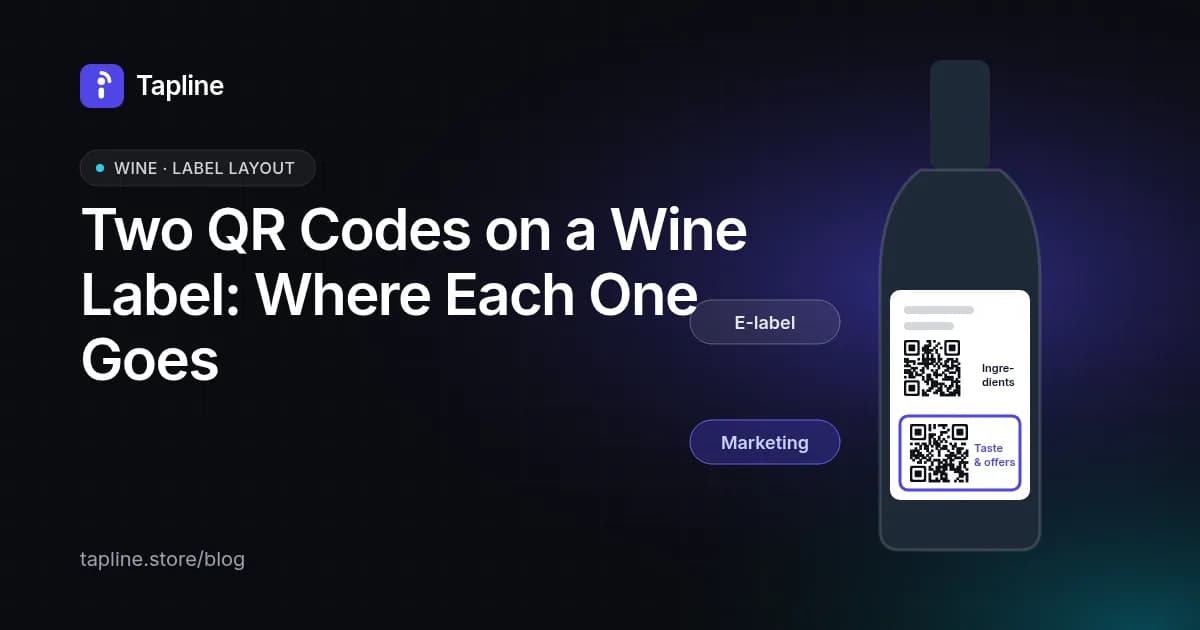
Most EU wine now carries an "Ingredients" QR code that leads to the legal e-label. If you also want a code that sells, tells the story or links to your shop, it has to be a second, clearly separate code. This guide covers how to fit both on one back label without confusing buyers or upsetting the rules.
Plain-language guidance, not legal advice. Check the specifics for your wine and market with your own compliance adviser.
Can a wine bottle have two QR codes?
Yes. The EU rules don't limit the number of codes on a label. What they require is that the code leading to the ingredients and nutrition page opens that information straight away, with no selling, shop links or tracking. A second code for tasting notes and offers is fine as long as it's clearly separate, doesn't mislead and doesn't take space from the required information.
Why can't one QR code do both jobs?
Because the e-label page must stay neutral. The regulation says the ingredients and nutrition information must not be shown with sales or marketing content and that no user data may be collected or tracked. The Commission's Q&A (C/2023/1190) adds that consent doesn't change that. A page with a reorder button, an offer or analytics can't double as the e-label, so the usual setup is one plain "Ingredients" code and one marketing code.
Where should each code go on the back label?
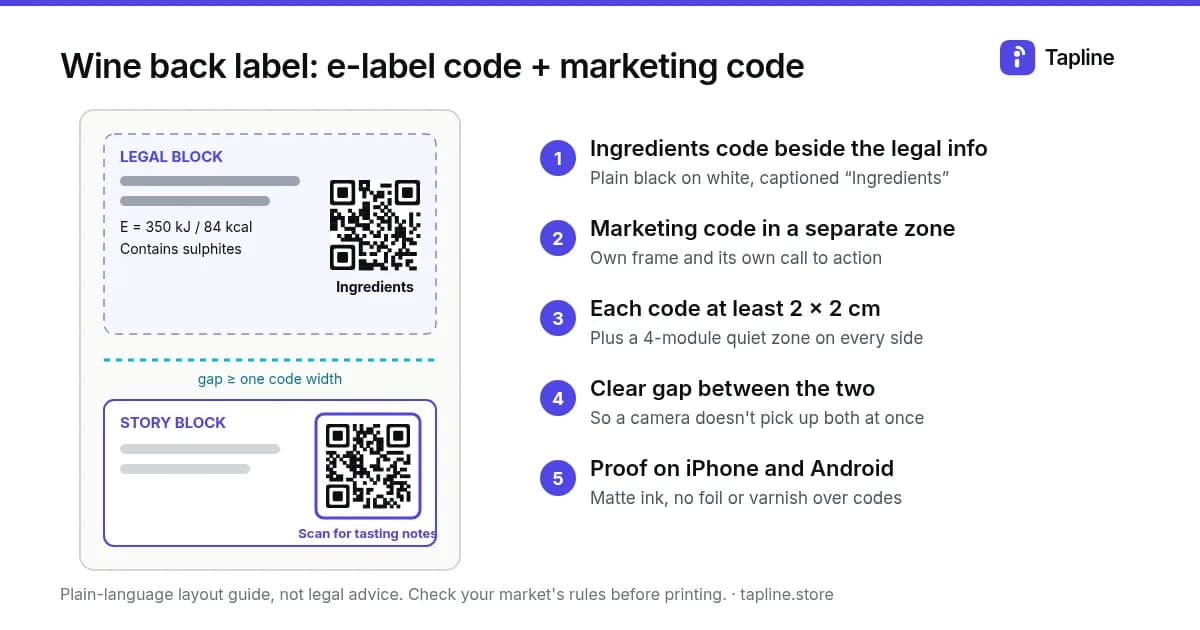
Put the Ingredients code next to the mandatory information it replaces: near the energy value, the allergen line (for example "Contains sulphites") and the other compulsory particulars. Put the marketing code further away, ideally in a different zone of the label, such as the bottom corner or the side panel opposite the legal block.
A simple layout that works on most 750 ml back labels:
- Legal block (top or middle): compulsory particulars, energy value, allergens, then the Ingredients code with its word label underneath or beside it.
- Story block (bottom): two or three lines of copy, then the marketing code with its own call to action.
- A visible gap between the two: at least the width of one code, so a shopper's camera doesn't pick up both at once.
How big should each QR code be?
Aim for at least 2 × 2 cm for each code, plus a clear margin (the "quiet zone") of at least four modules on every side. On a curved bottle, keep each code small compared with the curve, and place it where the label sits flattest. If your codes need to be smaller than 2 cm, test them on real phones before you approve the proof. Our QR code print specs guide covers size, contrast and placement in more detail.
What words should sit next to each code?
The Ingredients code should be labelled with a plain word such as "Ingredients" (or its equivalent in the language of the market), so buyers know it leads to the legal information. Keep that wording neutral.
The marketing code needs its own call to action, so nobody mistakes it for the e-label. Examples that are clear and don't overpromise:
- "Scan for tasting notes & food pairings"
- "Scan to meet the winemaker"
- "Scan to reorder this wine" (only if the page really has a reorder link)
Avoid wording on the marketing code that sounds official, such as "Product information" or "Nutrition".
Should the two codes look different?
It helps. Shoppers scan whichever code they see first, so make the difference obvious:
- Keep the Ingredients code plain black on white.
- Give the marketing code a small frame, an icon or a short colour band around the quiet zone (not inside the code itself).
- Never use the same frame or caption for both.
What should I tell my label printer?
Send your printer a short brief with the artwork:
- Two QR codes, each supplied as vector art (SVG or PDF), not a screenshot.
- Minimum printed size of 2 × 2 cm each, with a four-module quiet zone.
- Dark ink on a light, matte background; no metallic inks, foil or varnish over the codes.
- Keep both codes off seams, wraps and embossing.
- A proof scanned on at least one iPhone and one Android phone before the full run.
If your printer offers variable data (a unique code per bottle or per batch), ask whether it applies to the marketing code only. The Ingredients code normally points at one page per wine.
Can I change where the codes point after printing?
Use dynamic codes so you can. A dynamic code stores a short link that you can redirect later, so a vintage change, a new food pairing or a new shop URL doesn't mean reprinting. That matters most for the marketing code, where the content changes often. With Tapline you edit the page behind the code at any time; the printed code stays the same.
Could I use an NFC tag instead of the second QR code?
You can add one. An NFC tag sits under the label and opens the same page with a tap, which keeps the label cleaner. Most brands still print a visible QR code as well, because not every shopper knows to tap. See QR code vs NFC tag for the trade-offs.
Where does Tapline fit?
The Tapline marketing page is the second code and is never the legal e-label. Tapline can also host a separate, neutral e-label page that you fill in yourself, and you are responsible for its accuracy. You can also keep your ingredients and nutrition page with an e-label provider or on your own neutral page. Use a Tapline marketing code beside it for tasting notes, pairings, events and a reorder link to your own shop. Our wine page explains what happens after the scan, and EU e-label rules for wine covers the rule itself.
Related: QR code print specs guide.
Related: QR code vs NFC tag.
Related: wine page.
Related: EU e-label rules for wine.