Wine
Wine E-Label Languages: What Each EU Market Needs
Which languages a wine label and e-label need in each EU market: allergens, energy value, the "ingredients" heading and multi-language e-label pages.
By Ali Murtaza ·
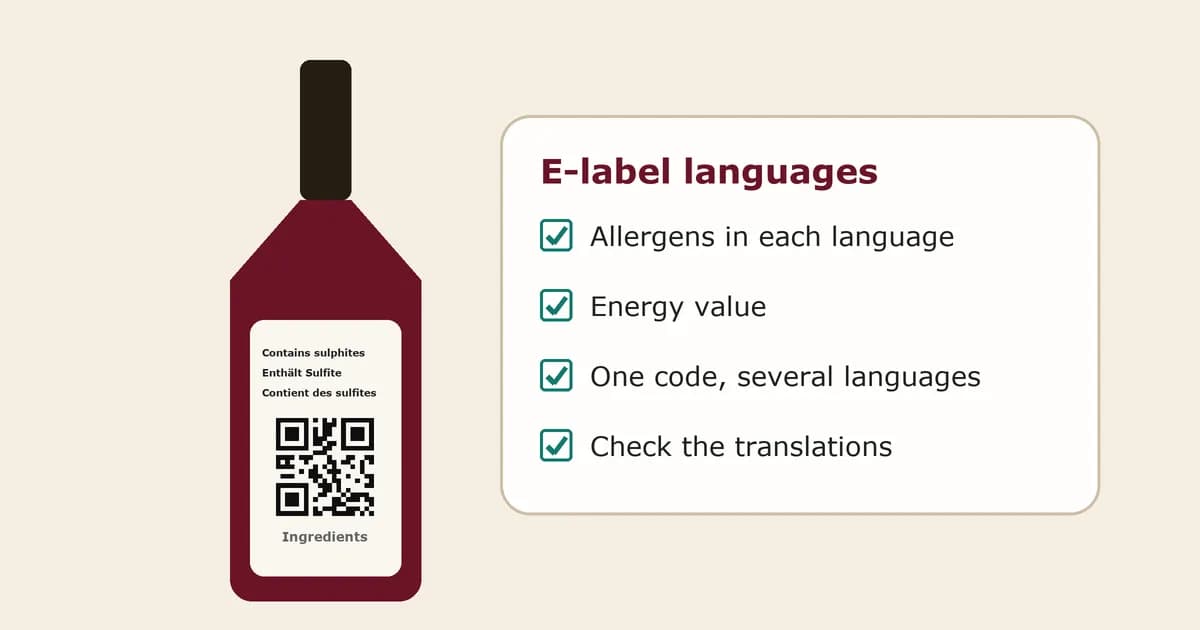
A wine that sells in five EU countries can need its ingredients, nutrition table and allergen warnings in five languages. On a 750 ml back label that is close to impossible, which is one of the main reasons most producers moved the ingredients list and full nutrition declaration onto an e-label behind a QR code. Moving text online does not remove the language rules, though. It changes where they apply. This guide explains which parts of the label need which languages, how to handle the "ingredients" heading next to the code, and how to build an e-label page that works in every market you ship to.
Plain-language guidance, not legal advice. Check the current regulations, the rules of each member state you sell in and your importer before you print.
The two language rules that apply to wine
Wine sits under two sets of rules at once, and each has its own language clause.
- The wine rules. Article 121 of the EU's common market regulation for agricultural products (Regulation (EU) No 1308/2013) says the compulsory particulars for wine appear in one or more of the official languages of the Union. Protected names, such as a PDO or PGI and traditional terms, stay in the language they are protected in.
- The general food information rules. Article 15 of Regulation (EU) No 1169/2011 says mandatory food information must be in a language easily understood by consumers in the member states where the food is sold, and each member state may require one or more official EU languages on its own territory. Nothing stops you giving the information in several languages.
Trade guidance, such as the UK Wine and Spirit Trade Association's note on EU e-labelling, reads these together: the ingredients and nutrition information needs to be in a language easily understood where the wine is marketed. In practice that means the language of each market, unless you have checked that a market accepts something else.
What has to be on the bottle, and in which language
Some information can never move to the e-label, so its language has to be solved on the physical label.
| Item | Where it goes | Language point |
|---|---|---|
| Allergens such as sulphites, egg and milk | Always on the physical label | Use the term listed for each language in Annex I of Delegated Regulation (EU) 2019/33. The official pictograms may be added, never instead of the words. |
| Energy value | On the physical label when the full table is online | May be written with the symbol "E", which reads the same in every language, followed by kcal per 100 ml. |
| Heading next to the QR code | On the physical label | Must say what the code holds, with the word "ingredients". The wine language rules apply to it. |
| Ingredients list and full nutrition declaration | On the label or on the e-label | Needs the language of each market where the wine is sold. |
The allergen line is the one that fills space fastest. Exporters often print it in two or three languages, or in one language with the official pictograms beside it. Our allergen guide covers the exact wording and the pictograms.
The "ingredients" heading next to the code
The European Commission's questions and answers on the new wine labelling rules (OJ C 2023/1190, question 38) say a symbol such as an "i" does not tell buyers what the code contains, so the code needs a heading that refers to the ingredients. The Commission has also confirmed the heading follows the same language rules as the other compulsory particulars.
The common fix is a short multi-language heading in a single line or stacked under the code, for example "Ingredients · Ingrédients · Zutaten · Ingredienti". Pick the languages of your main markets, keep each word at the minimum 1.2 mm x-height for compulsory particulars, and keep the heading visually tied to the code rather than floating elsewhere on the label.
Making the e-label page work in several languages
Behind the code, you have more room. A single QR code can open a page that offers every language you need, as long as the information is complete in each one. There are three common ways to do it.
- One page with all languages stacked. Simple, but long on a phone past three or four languages.
- One page with a language switcher. The buyer picks a language from a menu at the top. Make sure the switcher is visible without scrolling and that every version holds the full ingredients list and nutrition table.
- A page that opens in the phone's language. Some e-label tools read the language setting the phone sends with the page request and open that version first, with a switcher for anyone who wants another. Because the e-label page must not collect or track user data, check that the tool does this without cookies, analytics or stored profiles.
Whichever way you choose, a few rules hold. Every language version must be complete, not a summary. The page must stay free of marketing and sales content. And it must open on an ordinary smartphone without an app or a login.
Getting the translations right
Ingredient names on a wine label are not free text. Additives and processing aids that must be listed are named by their category and E-number or specific name, and EU regulations are published in every official language. Take the terms from the matching language version of the regulation rather than from machine translation, because a near-miss translation of a category name or a sweetness term is the kind of error an inspector or importer will notice.
Our guide to writing a wine ingredients list explains which items must be listed and how to name them. If you use an e-label generator, check that its terms come from the official EU wording and that you can correct custom text, such as a producer name, by hand. Our checklist for choosing a generator covers this.
Outside the EU
Great Britain and the United States both work in English but have their own label rules, and an EU e-label in several languages does not replace a US-compliant label. Our export guide explains how QR codes fit the EU, UK and US rules side by side.
Language checklist before you print
- List every country the vintage will be sold in, including through distributors.
- Check whether any of those member states requires its own language for food information.
- Print the allergen terms from Annex I of Regulation 2019/33 in the languages you need, with pictograms if you want them.
- Print the energy value with the "E" symbol so it works in every market.
- Put a heading with the word "ingredients" in your main market languages beside the QR code.
- Make sure every language version of the e-label page is complete and free of tracking and marketing.
- Scan a printed proof with phones set to different languages before the full run.
FAQs
Does a wine e-label have to be in every EU language?
No. It has to be in a language easily understood by consumers in each country where the wine is actually sold, and some member states require their own official language. A wine sold only in France and Belgium needs French, and Dutch is wise for Flanders, but it does not need Finnish.
Can one QR code serve several countries?
Yes. One code can open a page with a language switcher or with all languages on the page, provided each version is complete. That is usually easier than printing different codes for different markets.
Can the "ingredients" heading be replaced by a symbol?
Not on its own. The Commission's Q&A says a symbol such as an "i" is not enough. Use the word "ingredients" in the relevant languages. A symbol can sit beside it.
Do allergens need translating if the ingredients list is online?
Yes. Allergens always stay on the physical label, in the languages of your markets, even when the full ingredients list is on the e-label.
Where does Tapline fit?
Tapline is not your compliance check. It powers the second code on the back label, the one for your own story: a page for each wine where you explain how it was made and how it tastes, a reorder button that sends buyers to your shop or stockist list, and scan counts per code, all editable after the labels are printed. On the Scale plan that story page can be shown in several languages, so export buyers read about the wine in their own language too. Shopify sync is coming soon. The marketing page is never the legal e-label. Tapline can also host a separate, neutral e-label page for wine that you fill in yourself, and you are responsible for its accuracy. Tapline is built by Esipick, which has been building software for brands since 2013.
Related: what happens after the scan.
Related: two QR codes on one label.
Related: wine allergen labelling: sulphites, egg and milk.
Related: how to write a wine ingredients list for an EU e-label.
Related: how to calculate wine calories for an EU e-label.
Related: how to choose a wine e-label generator.
Related: wine QR codes for export: EU, UK and US.
Related: EU e-label rules for wine.
Related: pricing.