Wine
Wine E-Label Privacy: No Tracking, Cookies or Ads
EU wine e-label pages must not track users or show marketing. What that means for analytics, cookies, age gates and QR redirects, plus questions for providers.
By Ali Murtaza ·
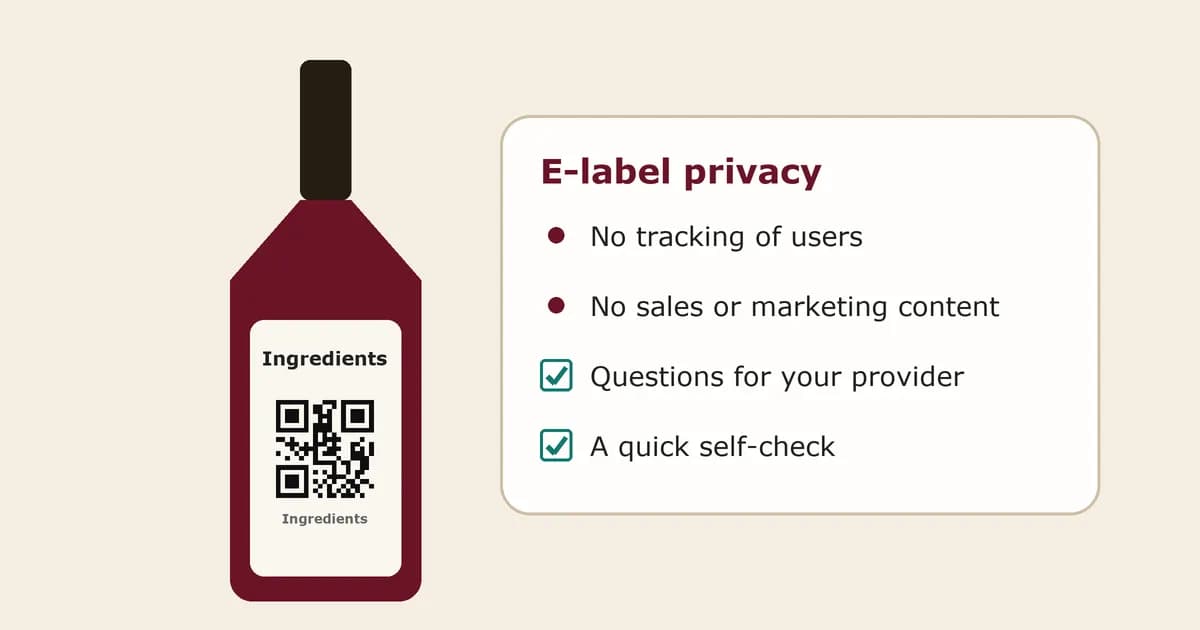
Most wineries know the headline rule for EU wine e-labels: the ingredients list and nutrition declaration can move behind a QR code. Fewer notice the two conditions attached to that permission. The page the code opens must not collect or track user data, and it must not carry sales or marketing content. That sounds simple until you look at how most websites are built, with analytics scripts, cookie banners, chat widgets, newsletter pop-ups and retargeting pixels switched on by default. This guide explains what the privacy condition means in practice, which common features cause problems, what to ask an e-label provider, and where scan counts and marketing belong instead.
Plain-language guidance, not legal advice. Check the European Commission's Q&A on wine labelling and your national authority's guidance for your own wines.
What the rule says
Since 8 December 2023, wine produced for the EU market has to show a list of ingredients and a nutrition declaration. The EU's common market rules for wine allow both to be given by electronic means identified on the label, usually a QR code, as long as the energy value and any allergens are still printed on the bottle. When a winery uses that option, the electronic page must not collect or track user data, and it must not display information aimed at sales or marketing purposes.
The reason is straightforward. The e-label replaces part of the legal label, so reading it should be like reading the back of the bottle. A shopper checking ingredients should not be profiled, followed or sold to for doing so. Treat the e-label as a neutral information page, not as part of your website.
Features that usually break the no-tracking condition
The risk rarely comes from the wine information itself. It comes from the page around it, especially when the e-label is built inside an existing website or a general QR code tool. Watch for these:
- Analytics scripts such as Google Analytics, Meta Pixel or TikTok Pixel that record who opened the page and what they did.
- Advertising and retargeting tags that let you show ads later to people who scanned the bottle.
- Cookies or local storage used to identify returning visitors, and the consent banner that usually comes with them.
- Forms that ask for an email address, age, birth date or location before the information is shown.
- Chat widgets, social media embeds and video players that load third-party trackers when the page opens.
- QR code redirect services that log each scan with device, location or other visitor details before forwarding the visitor.
If you need a cookie banner on your e-label page, that is a strong sign something on the page is tracking visitors. A clean e-label page normally needs no banner at all.
What about age gates?
Many winery websites open with an age gate. On an e-label page that creates two problems: it puts a barrier in front of information the buyer is entitled to, and age gates often set cookies or store an answer about the visitor. Since the person scanning is already holding the bottle, most e-label providers leave the age gate off. If your national rules or company policy point the other way, ask your authority how to handle it before adding one.
Marketing content is the other half of the rule
The same condition rules out sales and marketing content on the e-label. In practice that means no buy buttons, no shop links, no promotions, no newsletter sign-ups, no awards and no brand story on that page. Navigation menus and footers copied from your main website are easy to overlook, and they often contain exactly these links. Keep the page to the wine's name, the legal information, the languages you need and little else.
Where scan counts and marketing belong
None of this means you cannot learn anything from your labels. It means the learning happens on a different code. Many wineries now print two QR codes on the back label: one for the neutral e-label, and one for their own marketing page with tasting notes, food pairings, the winery story and a way to buy again. The marketing page is ordinary marketing, so it follows the normal rules for websites, including GDPR and your cookie consent rules if you use cookies there.
That second code is where scan counts make sense. Knowing how many people scanned each wine's marketing code tells you which bottles start conversations and which reorder links get used. Keep the two pages clearly separated, label each code so buyers know which is which, and never send the legal information through the marketing page. Our guide to two QR codes on one wine label shows how to lay them out.
Questions to ask an e-label provider
- Does the e-label page load any analytics, advertising or third-party scripts? Ask for the list.
- Does the page set any cookies or use local storage? If yes, what for?
- Does the QR code go straight to the page, or through a redirect that logs scans? What is logged?
- Are server logs kept, for how long, and is anything in them used to identify or profile visitors?
- Can the page show any marketing, links to a shop or the provider's own branding and ads?
- Where is the page hosted, and who acts as data controller and processor under GDPR?
- What happens to the page and the printed code if you stop paying?
Ordinary web server logs, which record requests so a site can run and stay secure, are a grey area that providers handle differently. Ask what is logged and why, and check your national authority's view if you rely on them. Our checklist for choosing a wine e-label generator covers the other questions worth asking.
A quick self-check for your e-label page
- Open the page on your phone in a private browser window. If a cookie banner appears, find out why.
- On a computer, open the browser's developer tools, reload the page and look at the network requests. Anything going to analytics, ad or social domains needs to go.
- Check that the page has no menu, footer or buttons linking to your shop, newsletter or social accounts.
- Confirm the energy value and allergens are still printed on the bottle.
- Scan the printed code on a proof and make sure it lands directly on the right wine and vintage.
FAQs
Can I use Google Analytics on my wine e-label page?
Not on the e-label page itself. The rules say the electronic page must not collect or track user data, and analytics tools exist to do exactly that. Use analytics on your separate marketing page instead, with the consent your cookie rules require.
Can I count scans of my e-label QR code?
Counting scans through a redirect that logs visitor details is the kind of tracking the rule is aimed at, so many wineries avoid it on the e-label code. If you want scan numbers, count scans of a separate marketing code, where normal website rules apply.
Does my e-label page need a cookie banner?
Usually no. A page that sets no tracking or non-essential cookies has nothing to ask consent for. If your provider's page shows a banner, ask what it is for.
Can I put a shop link or my logo on the e-label page?
Shop links, promotions and newsletter sign-ups are marketing content and do not belong there. Showing the wine's name so buyers know they reached the right page is normal. For anything beyond that, check the Commission's Q&A and your national authority.
Is this the same as GDPR?
No. GDPR applies to most websites that handle personal data. The e-label condition is stricter: the page should not collect or track user data at all, whether or not a visitor consents.
Where does Tapline fit?
Tapline is not your compliance check or your privacy review. It powers the second code on the back label, the marketing one: a story page for each wine, a reorder button that sends buyers to your shop or stockist list, and scan counts per code, all editable after the labels are printed. On the Scale plan the page can be shown in several languages for export markets. Shopify sync is coming soon. The marketing page is never the legal e-label. Tapline can also host a separate, neutral e-label page for wine that you fill in yourself, and you are responsible for its accuracy. Tapline is built by Esipick, which has been building software for brands since 2013.
Related: what happens after the scan.
Related: two QR codes on one label.
Related: EU e-label rules for wine.
Related: how to choose a wine e-label generator.
Related: what wine QR code scan counts can tell you.
Related: static vs dynamic QR codes on wine labels.
Related: wine allergen labelling.
Related: pricing.