
Coffee
QR Codes on Coffee Bags: Origin Stories and Reorders
What EU food law says must stay printed on a coffee bag, what a QR code can add, and how roasters can share origin, brew guides and reorders without reprinting.
By Ali Murtaza ·
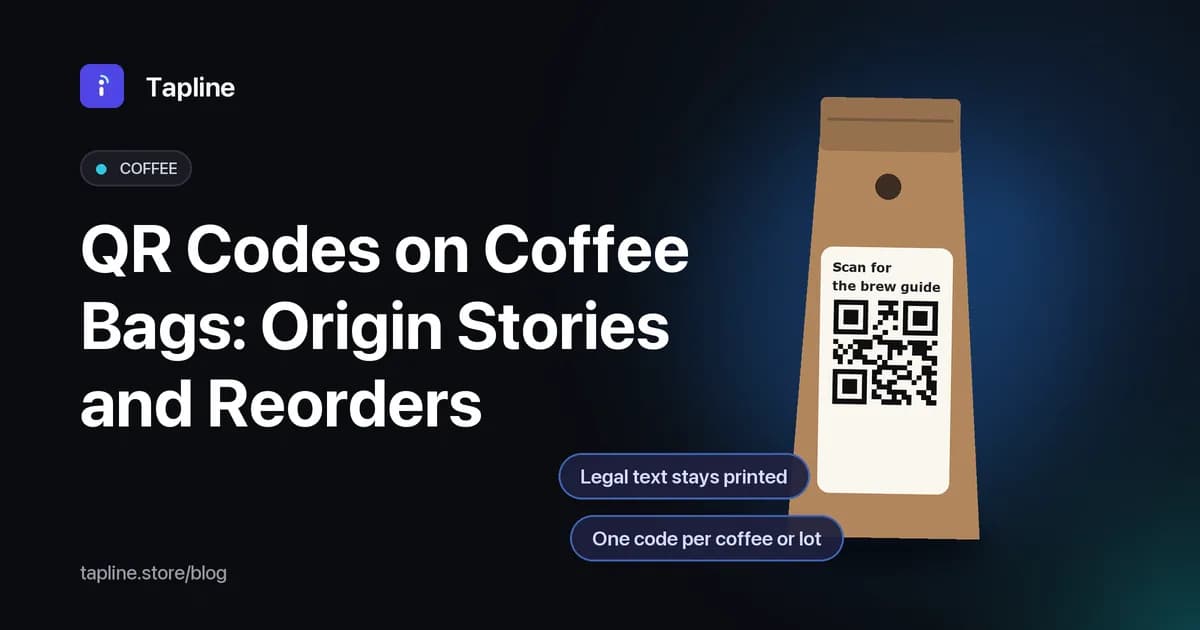
Specialty coffee sells on detail: the farm, the altitude, the process, the roast and how to brew it. A 250 g bag has room for very little of that once the legal text, the valve and the logo are on it. A QR code on the bag can open a page with the full story, a brew guide and a way to buy the next bag. This guide covers what EU food law says must stay printed on a coffee bag, what a QR page can add, and how roasters can set one up without reprinting every time a lot changes.
Plain-language guidance, not legal advice. Check the regulation linked below, and any national rules in the countries you sell to, with your adviser or trading standards office.
What must stay printed on a coffee bag
Packaged coffee is prepacked food, so it falls under Regulation (EU) No 1169/2011 on food information to consumers. Article 9(1) lists the mandatory particulars: the name of the food, the list of ingredients, allergens, quantity of certain ingredients, net quantity, the date of minimum durability, storage conditions or conditions of use, the name and address of the food business operator, country of origin where Article 26 requires it, instructions for use where needed, and a nutrition declaration. Point 7 of Annex V exempts whole or milled coffee beans, including decaffeinated beans, from the nutrition declaration. Flavoured coffees and blends with added ingredients may not qualify, so check those with your adviser.
The key rule for QR codes is Article 12(2): for prepacked food, mandatory food information shall appear directly on the package or on a label attached to it. A QR code cannot take its place. Article 13 adds that the mandatory particulars must be clearly legible, with a minimum x-height of 1.2 mm, or 0.9 mm where the largest surface of the pack is under 80 cm². Article 13(5) says the name of the food and the net quantity must appear in the same field of vision.
Source: Regulation (EU) No 1169/2011, Articles 7, 9, 12, 13, 14, 36, 37 and Annex V (EUR-Lex).
What a QR code can add
Everything that is not mandatory is voluntary food information, and the regulation allows it with two limits. Article 36(2) says voluntary information must not mislead, must not be ambiguous or confusing, and should be based on scientific data where appropriate. Article 37 says it must not take space away from the mandatory information. A QR code helps with the second limit: the extra story lives on a page, not on the bag.
For a roaster, the page behind the code can carry what buyers actually look for:
- Origin details: country, region, farm or washing station, producer name, altitude, variety and process, as far as you can stand behind them.
- The lot or roast batch, so the page matches the bag in the buyer's hand.
- A brew guide for filter, espresso and cafetière, with grind size, ratio and water temperature.
- Tasting notes written by your team, labelled as your own description.
- Storage advice that repeats what the bag says, such as keeping the bag sealed, cool and dry.
- A link to reorder the same coffee, or to your subscription page if you run one.
- A short video of the farm, the roastery or a brew method, if you have one.
Article 7 applies to everything on that page. Claims about the farm, the process, direct trade or sustainability must be accurate and provable. If you cannot document a claim, leave it out. Health claims about coffee fall under separate EU rules and are best avoided on a marketing page unless your adviser has cleared them.
Selling online: the shop listing still needs the label
If you sell bags through your own shop or a marketplace, Article 14(1) says the mandatory food information, apart from the best-before date, must be available before the purchase is concluded, and all mandatory particulars must be available at delivery. The QR page on the bag does not replace your product listing. Keep the two consistent: same name, same weight, same origin wording.
One code per coffee, or one per lot?
Most roasters change coffees with the harvest. A code per product, such as one for the house espresso blend, is simple and works when the blend stays the same. Single-origin coffees change lot by lot, so a page that can be updated, or a code per batch, keeps the story accurate. A dynamic QR code means the code printed on the bag stays the same while the page behind it changes, so a new lot does not need new bags.
If you print codes per lot or per unit, GS1 Digital Link is worth a look. It is a GS1 standard for building a QR code from the product's GTIN plus optional batch or serial data, so one code can work for retail scanning and for a consumer web page.
Placement and print tips for coffee bags
- Put the code on a flat panel, away from the degassing valve, gussets and the seal, where the bag does not crease.
- Keep good contrast. Dark codes on kraft paper usually scan well; metallic or glossy foil can cause glare.
- Leave a clear margin around the code, and test print size on the actual bag material before a full run.
- Add a short call to action next to the code, such as Scan for the farm story and brew guide, so people know why to scan.
- Keep the mandatory text at full legibility. The code should never shrink the space Article 13 protects.
- Test the code on several phones and in low light, the way people actually scan at home in the morning.
Where Tapline fits
Tapline gives each product a story page behind a QR code that you can edit at any time without reprinting the bag. For coffee, that page can hold the origin details, brew guides and tasting notes you write and approve. A reorder button that links to your own shop is available on the Growth plan and above. Multi-language pages are available on the Scale plan, which helps when one bag is sold in several EU markets. Email sign-ups from the page are stored in Tapline, so buyers can ask to hear about the next lot; Klaviyo sync is coming soon. Shopify sync is also coming soon.
For roasters who track lots, Tapline offers item-level codes with serial or batch numbers, GTIN and GS1 Digital Link, with QR downloads as SVG, PNG or ZIP for your printer. You can see the number of scans on each code, which shows which coffees and which bags get scanned. Tapline does not check your label for compliance and does not verify what you write on the page; the mandatory information stays on the bag, and the content of the page stays your responsibility.
See how it works for food and drink brands: Food and drink use case.
Watch the 28-second reorder demo: Reorder from the pack (video).
Compare plans: Tapline pricing.
Related reading
- QR codes on product packaging
- Add a reorder button to packaging
- A packaging QR page template
- Collect reviews from packaging
- QR code vs NFC tag
FAQs
Can a QR code replace the label on a coffee bag?
No. Under Article 12(2) of Regulation (EU) No 1169/2011, mandatory food information for prepacked food must appear on the package or on a label attached to it. A QR code can add information, not replace it.
What can I put on the QR page?
Voluntary information such as origin details, brew guides, tasting notes, storage tips and a reorder link. Under Article 36 it must not mislead, must not be ambiguous and should be based on evidence where appropriate.
Do I need a new code for every harvest?
Not if the code points to a page you can edit. You can update the page when the lot changes and keep the same printed code. Use batch codes when you want each lot to have its own page.
Where should the code go on a coffee bag?
On a flat panel away from the valve, folds and seals, with good contrast and a clear margin. Always test it on a printed sample of the real bag.
Does my online shop still need the full label information?
Yes. Article 14 requires the mandatory information, except the best-before date, to be available before purchase, and all of it at delivery.
Can the page tell me how many people scanned?
Tapline shows the number of scans on each code. It does not show scans by country.